💻 Installation
The Stream Streaker comes in two parts; the browser source overlay for OBS, and the Streamer.bot integration that powers the streaker overlay.
Streamer.bot integration
The Stream Streaker has a Streamer.bot component, which is responsible for communicating with the OBS overlay, informing it of stream streak events, and providing information about the chatter who shared their streak (including name, profile image and stream streak count).
To get started with the installation of the Stream Streaker overlay:
- If you aren't using Streamer.bot yet, ensure that you follow their official installation and setup guides.
- Download the Stream Streaker package from your Orders page.
- Extract the downloaded package file to your computer.
- Open stream-streaker.sb in Notepad, and copy the contents of the file.
- In Streamer.bot, click the [ ➞| Import ] button at the top of the window.
- Paste the contents of the stream-streaker.sb file, and click the [ Import ] button at the bottom right of the dialog.
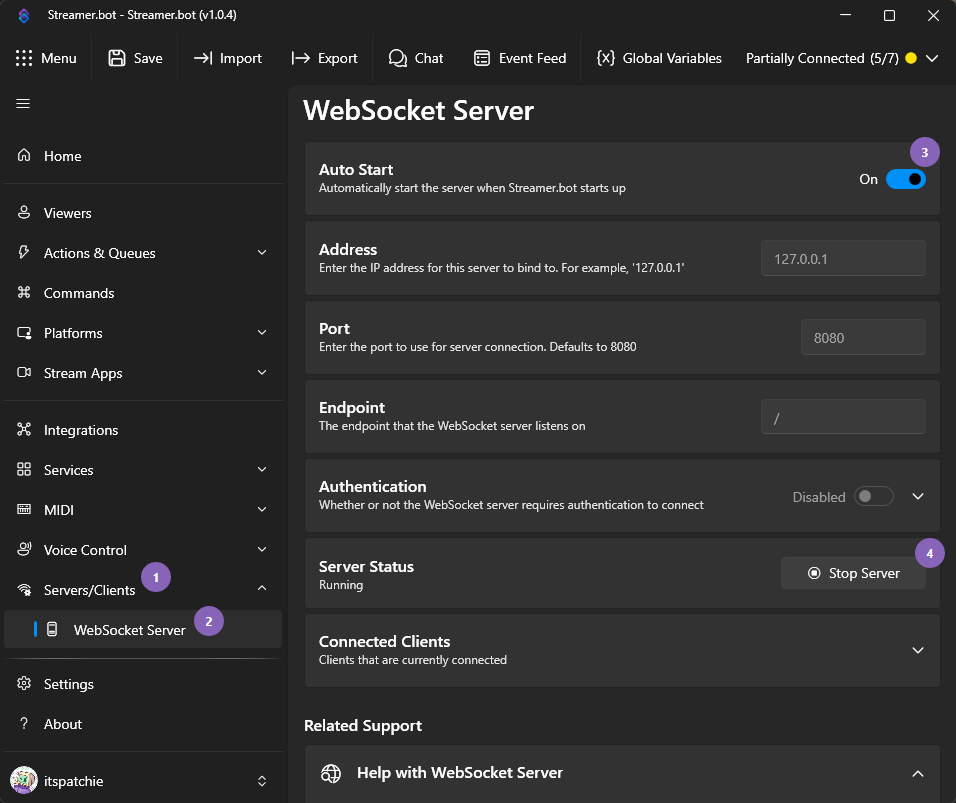
Please ensure that the Websocket Server is enabled and running in Streamerbot. Without this, the Stream Streaker won't work correctly.
OBS Studio installation
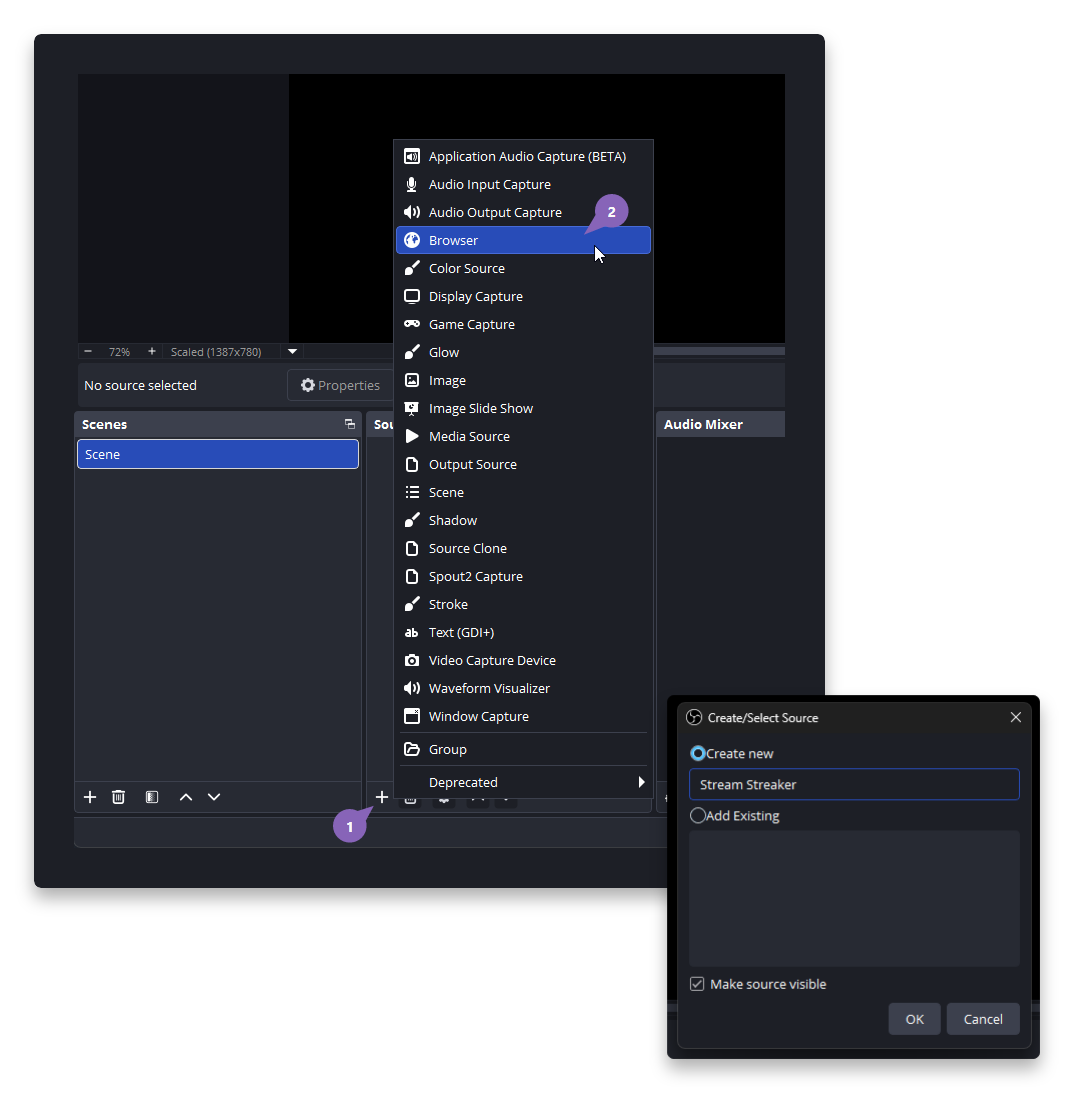
The Stream Streaker is added to OBS via a browser source. This browser source is responsible for showing the animation, playing the configured sound effect, and communicating with Streamerbot for stream streak information.
To add the Stream Streaker to your OBS scene, click the + button at the bottom of your Sources list (1), select
🌍 Browser (2), and create a new source. Be sure to name it something unique, such as "Stream Streaker".
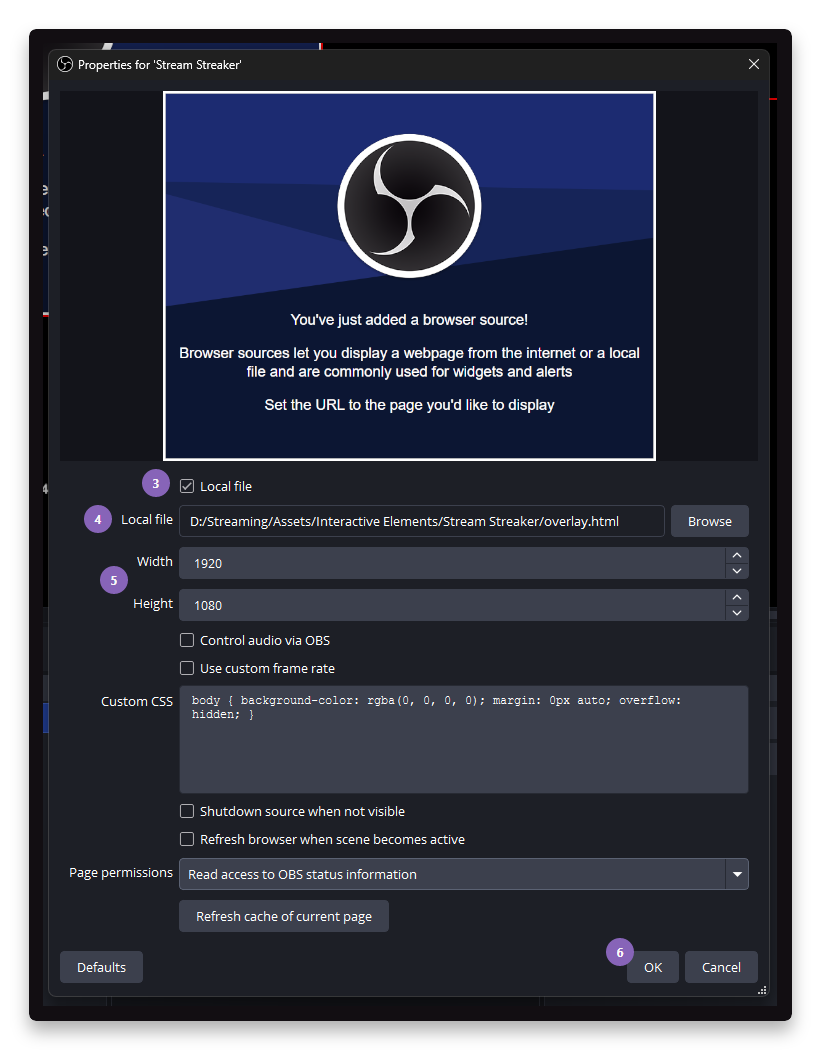
In the Properties panel that appears, tick the Local file checkbox (3), and click the Browse button to find
the overlay.html file (4) that was extracted from the Stream Streaker package. Be sure to also set the width and
height (5) of the browser source; a width of 1920 and height of 1080 are standard sizes for most stream setups.
When you're done, click the OK button (6).
Customisation
Once the overlay has been installed, you can personalise and configure your stream streaker by editing the config.js
file, included in the package files. See the Customisation page for more information about
available features.